How to reauthenticate your email account in Zoho CRM
Your email connectiong in Zoho CRM may need to be reauthorised from time to time, especially if you have recently changed the password on your email acocunt.
In these cases you may see an error message like the one below when you try to send an email from the CRM.
To resolve it, follow these steps:
- Your email may need to be reauthorised from time to time, especially if you have recently changed the password on your email acocunt.
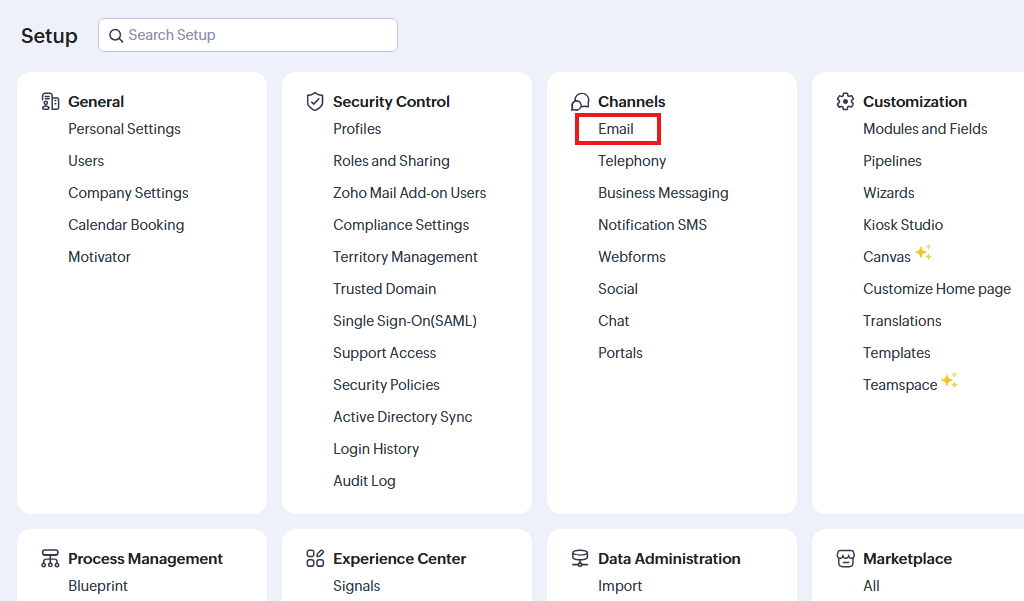
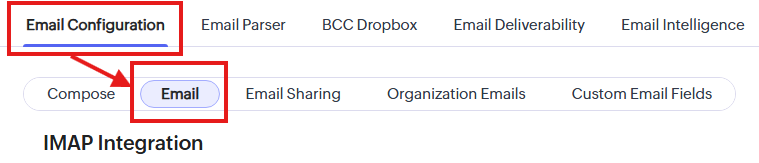
- In CRM go to Settings > Channels > Email > Email Configuration > Email
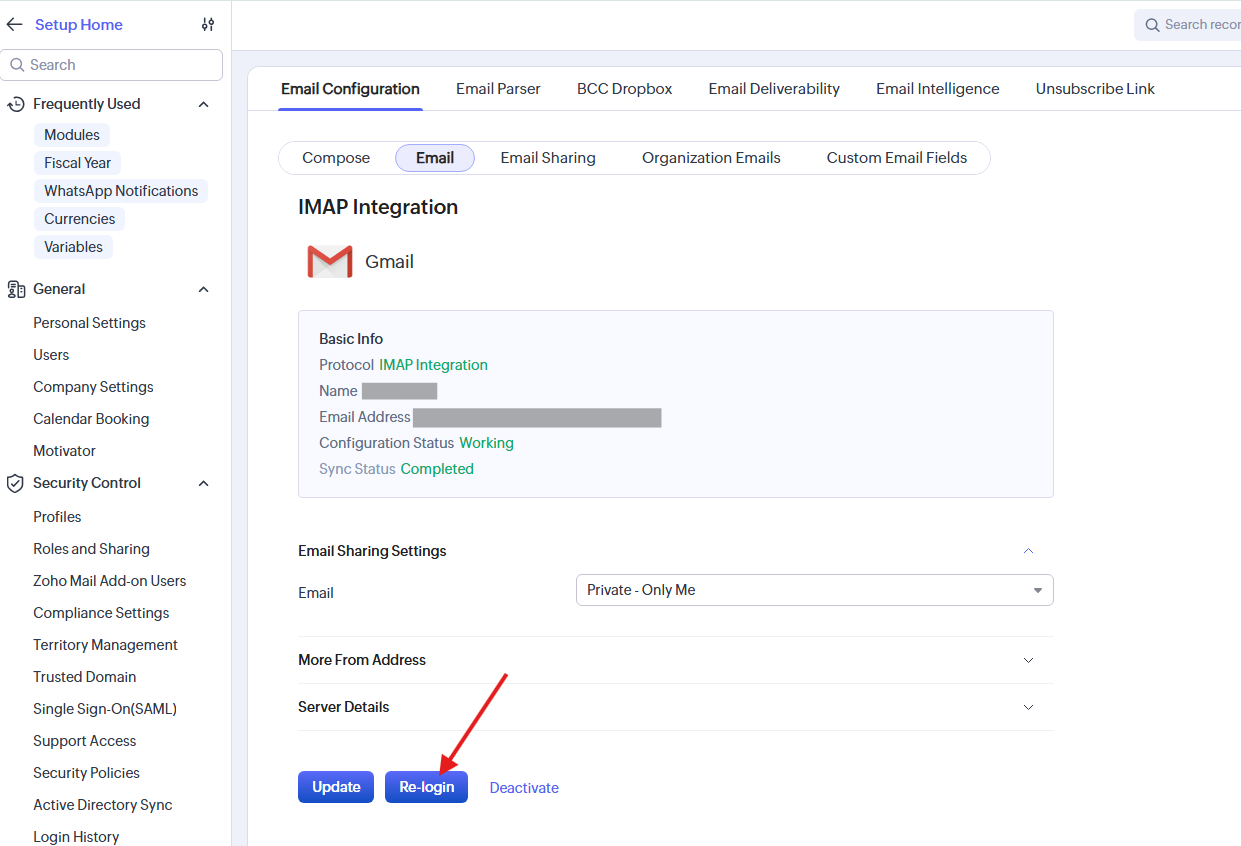
- At the bottom of the page click the button Re-login
- In the pop-up which appears, choose the account you are connecting to.
- Follow the instructions to authorise Zoho access to your email account.
- Once the Zoho CRM email settings page reloads the process is completed.